Experimental Release

FlowwState

Stay in the Floww

Enter the Flow
01. Capture

Insight at the Speed of Sight

Don't let a fleeting thought escape. With a single shortcut, FlowwState surfaces anywhere you are, allowing you to learn and query without ever leaving your current view.
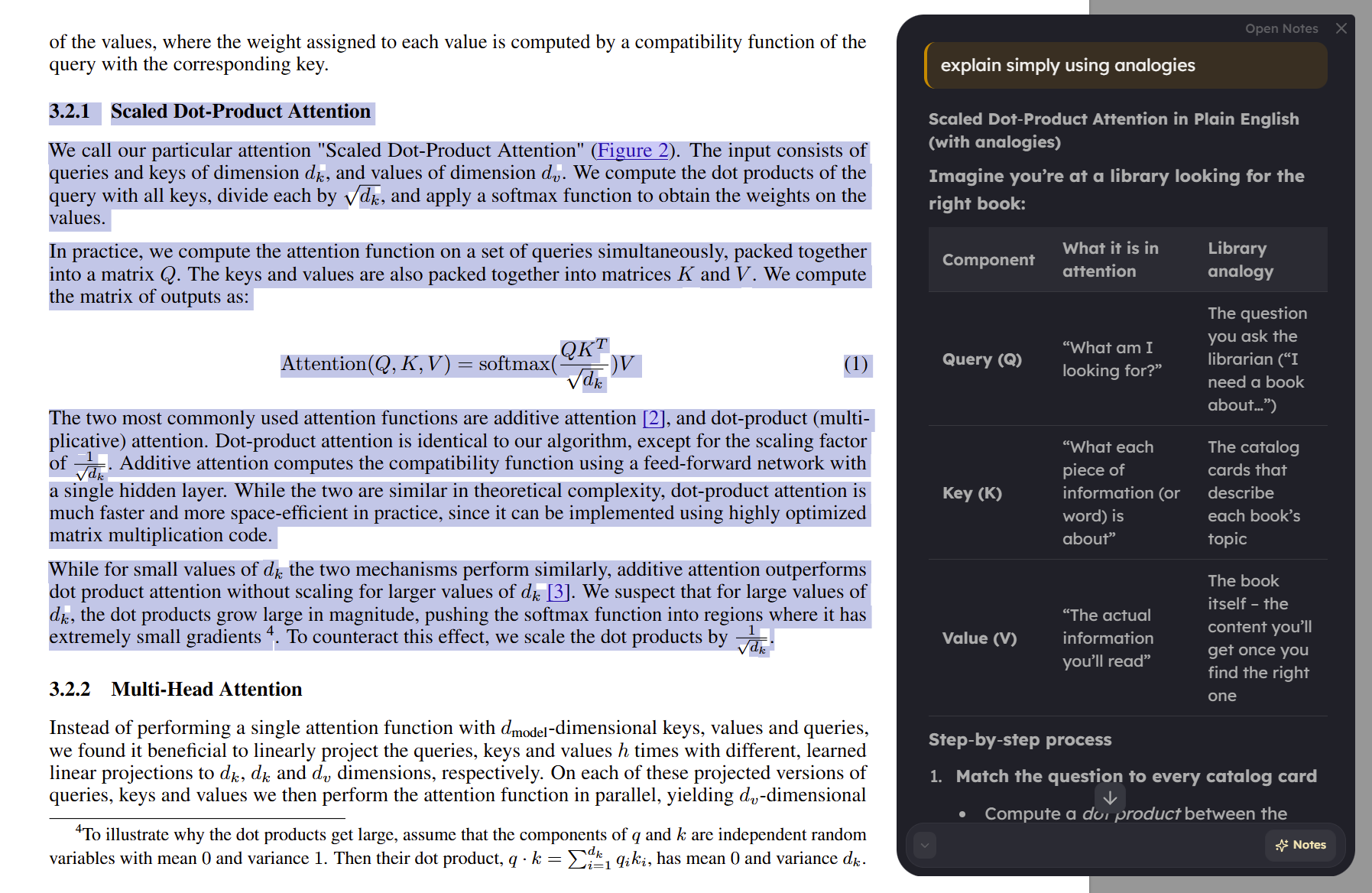
Instant Context Mining
FlowwState QuickCapture Chat Overlay
02. Distill

Notes That Understand You

Transform raw information into permanent knowledge. Define exactly how you think through custom instructions, and watch as FlowwState synthesizes your current context into structured wisdom.
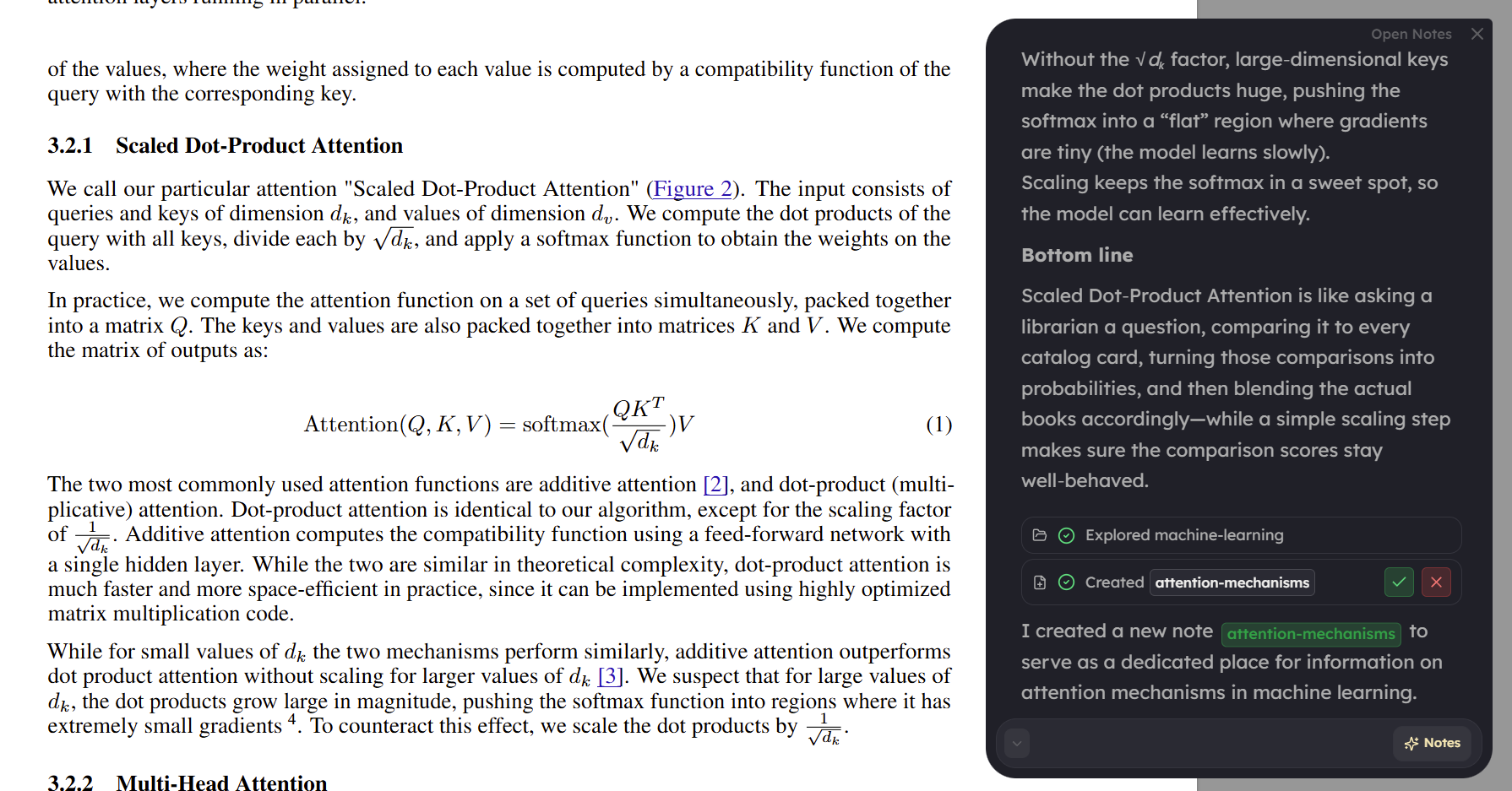
Custom Prompting Architecture
FlowwState Note Creation with AI Context
03. Refine

Precision in Every Change

AI should be a companion, not a replacement. When updating your thoughts, FlowwState shows you exactly what it proposes to change, giving you full control over the evolution of your knowledge.
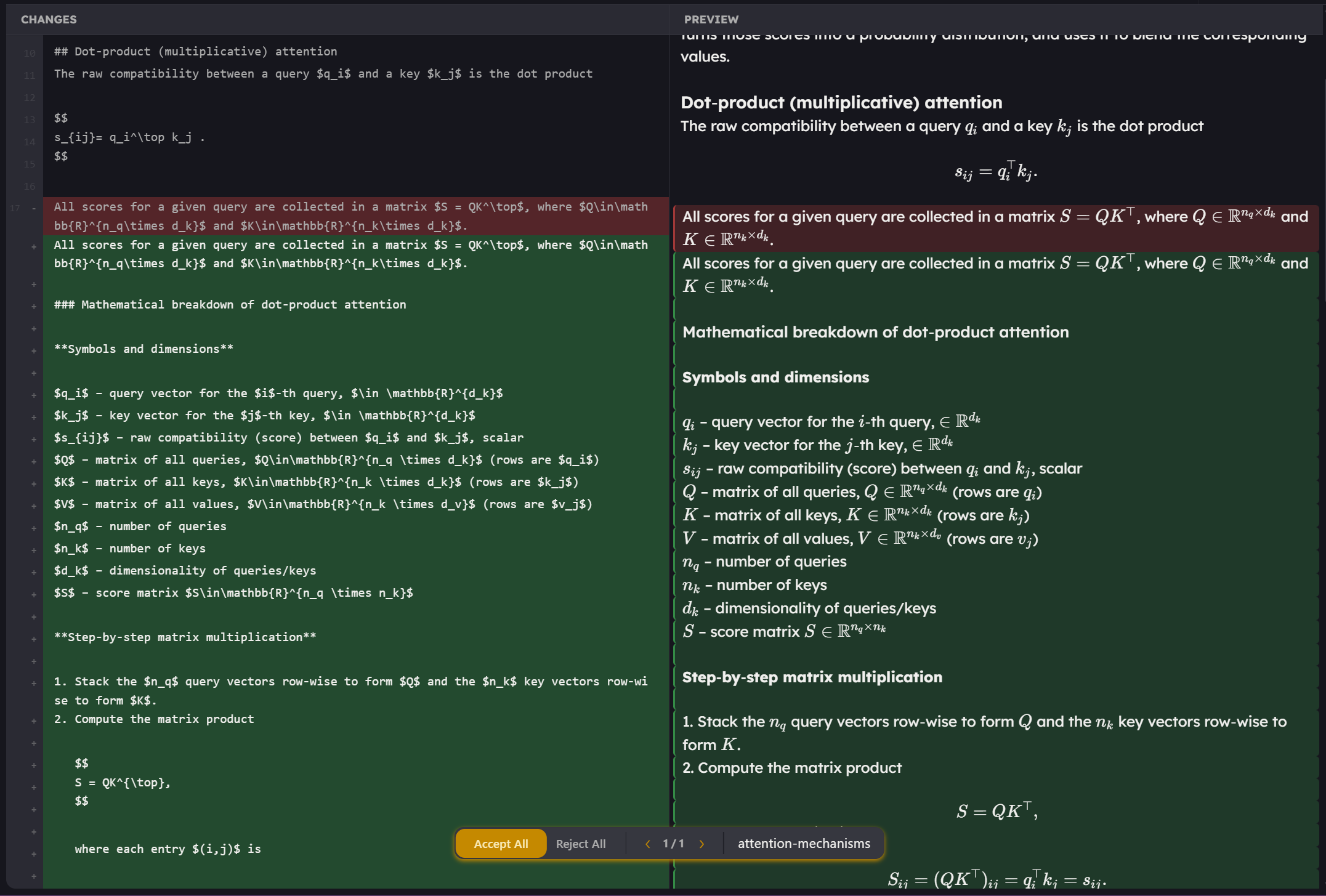
Human-in-the-Loop Refinement
FlowwState Interactive AI Note Updates
04. Connect

The Architecture of Knowing

Nothing exists in isolation. FlowwState automatically supports and surfaces backlinks, weaving a web of connections across your library that the AI understands as deeply as you do.
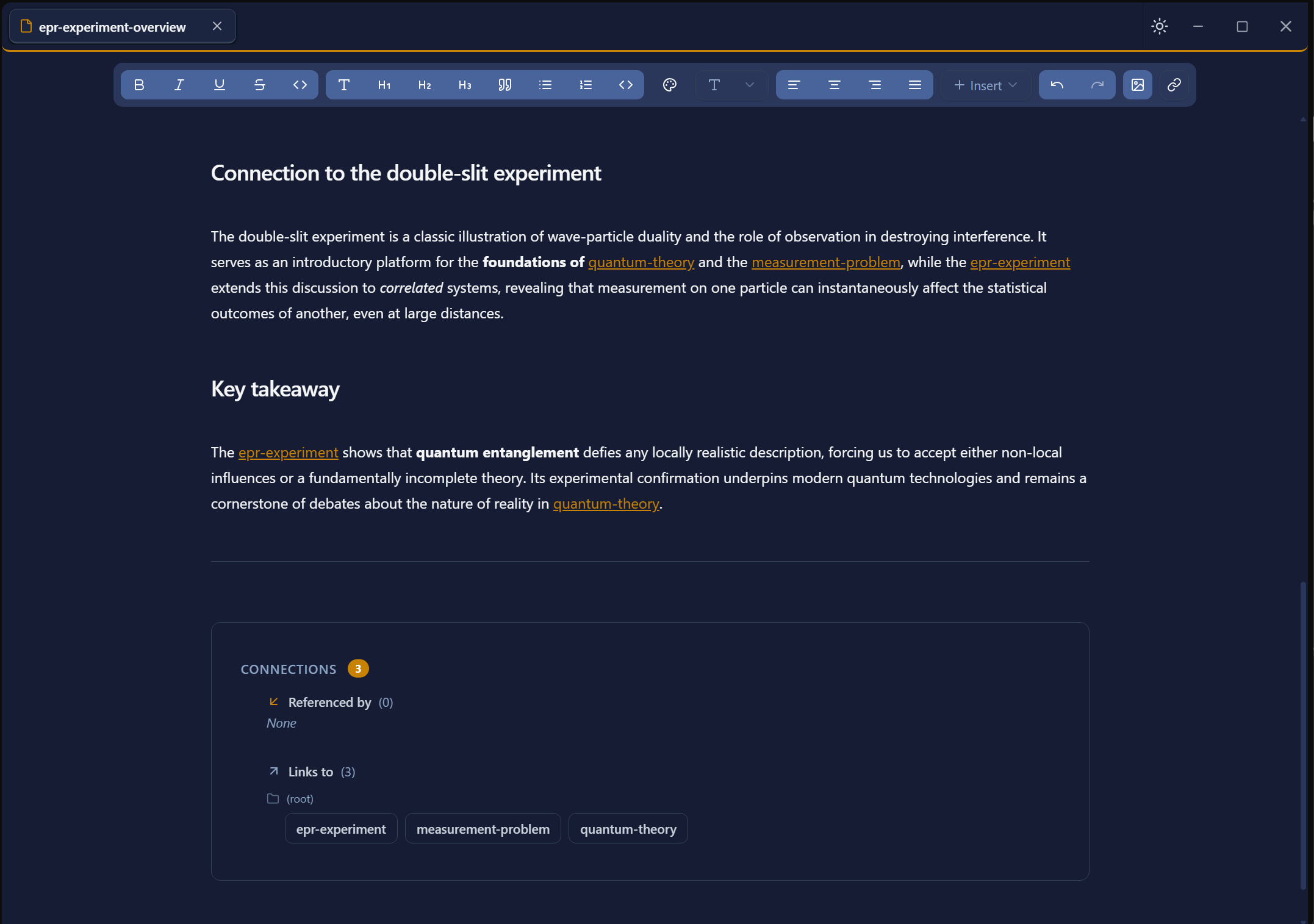
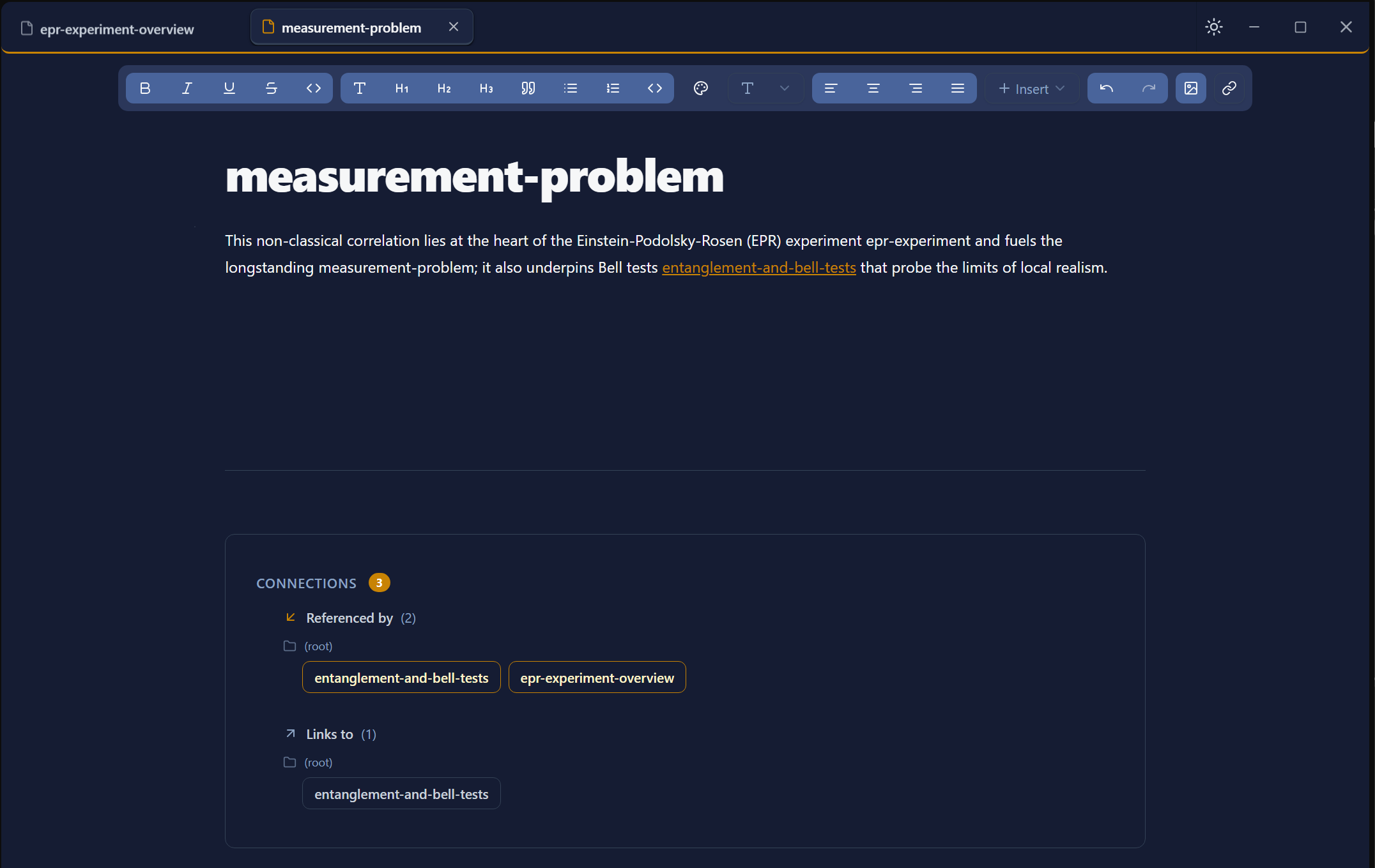
Semantic Graph Networking
Backlink Source
Backlink Destination
05. Create

A Canvas for Complexity

From elegant prose to complex mathematical proofs, the FlowwState editor is designed to hold the weight of your most intense intellectual work.
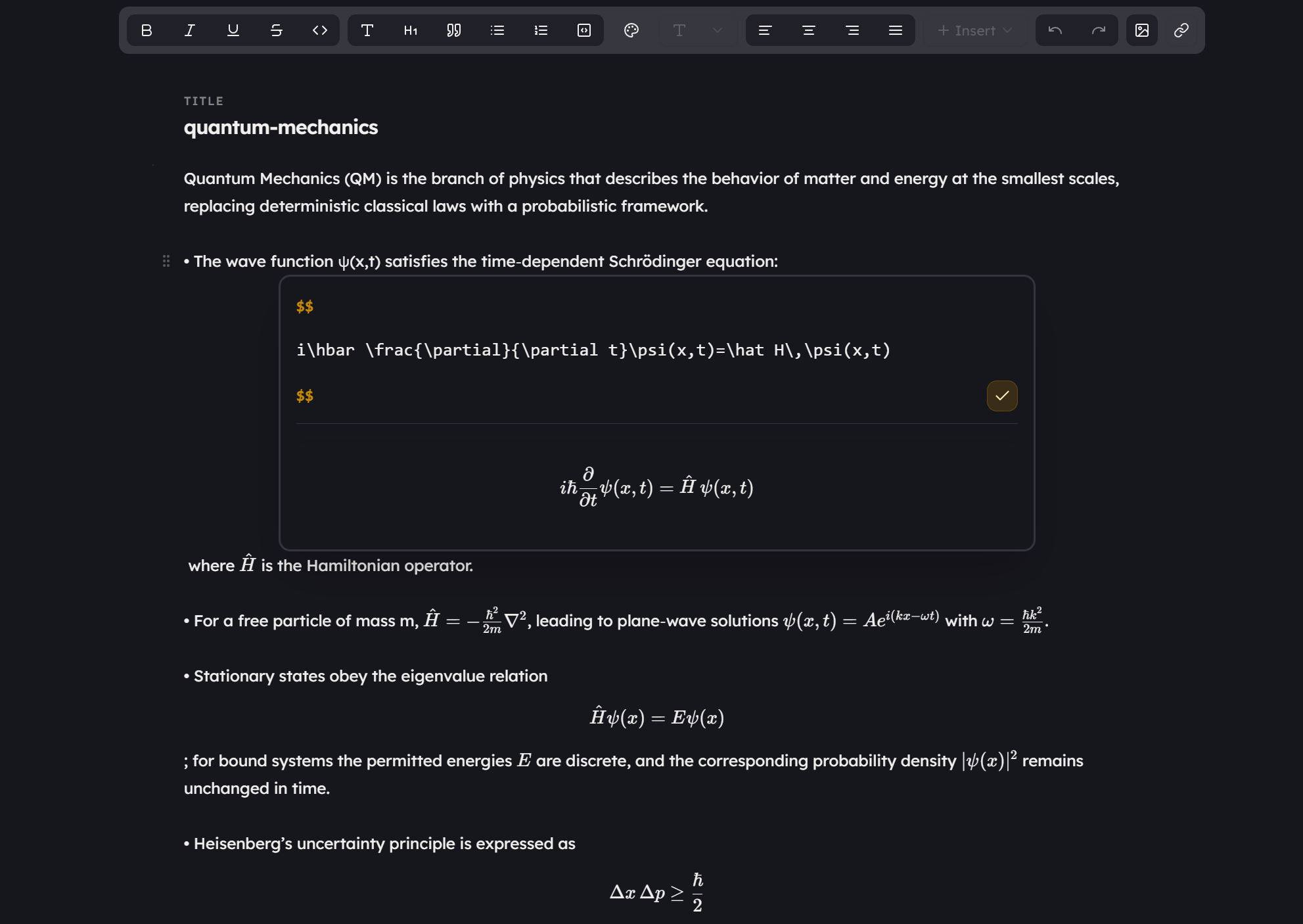
FlowwState Editor with Equation Support
FAQ

Questions & Answers

Everything you need to know about FlowwState.

What is FlowwState?

FlowwState is a new way to learn and take notes. The idea is to focus on the learning through a quick capture overlay which can be triggered by a shortcut and enable you to ask questions about what you are learning. Then, at a press of a button, you can save the notes to your knowledge base. The byproduct of what you learnt.

How is FlowwState different?

FlowwState's main purpose is not to be another notes app per se. I see it has a new way of interaction. Instead of opening a notes app and then trying to find the right note to add to, FlowwState allows you to capture notes in the moment and then ask questions about it. If you see fit, FlowwState can be used in conjunction with other note taking apps with much more advanced UI, note features, sync options etc.

Can I import my existing notes?

Yes, you can import your existing notes from Obsidian, Notion, and other note-taking apps as long as they support Markdown export. The tracked directory could be synced externally and the notes would be available to you in FlowwState.

Is FlowwState free to use?

Yes, FlowwState is completely free during the early access period with usage limits. I want to build something truly valuable before thinking about pricing.

Which platforms are supported?

FlowwState is available on Windows and macOS. If you're on a Mac, there's a quick one-time setup step since the app isn't code-signed yet — check out the macOS installation guide below.

How does the AI work?

FlowwState builds notes from the conversation you have with it. The agents understand the vibe of how you are asking questions and learning and then generate notes that reflect that. E.g. if you asked for more examples and comparisons, it will generate notes that includes those elements.

Is my data private?

Absolutely. Your notes are stored locally on your machine. I take privacy seriously — your intellectual work belongs to you.

How do backlinks work?

A key feature of FlowwState is linked notes - like WikiPedia. Concepts that you may be learning about are linked to each other. So if you are learning about 'Machine Learning' and then you come across 'Neural Networks' in the same conversation, FlowwState will link those two notes together. This allows you to explore your knowledge base in a non-linear way to build a knowledge graph. FlowwState automatically creates these for notes as it sees fit.